


CS2 Item Database
Every float we have tracked across millions of inventories, searchable by skin and wear.
Paste a skin name, an inspect link, an asset ID or a Steam ID into the one search box — it works out which you meant.
Search the item database
| 1 | |||
| 2 | |||
| 3 | |||
| 4 | |||
| 5 | |||
| 6 | |||
| 7 | |||
| 8 | |||
| 9 | |||
| 10 | |||
| 11 | |||
| 12 | |||
| 13 | |||
| 14 | |||
| 15 | |||
| 16 | |||
| 17 | |||
| 18 | |||
| 19 | |||
| 20 | |||
| 21 | |||
| 22 | |||
| 23 | |||
| 24 | |||
| 25 | |||
| 26 | |||
| 27 | |||
| 28 | |||
| 29 | |||
| 30 | |||
| 31 | |||
| 32 | |||
| 33 | |||
| 34 | |||
| 35 | |||
| 36 | |||
| 37 | |||
| 38 | |||
| 39 | |||
| 40 | |||
| 41 | |||
| 42 | |||
| 43 | |||
| 44 | |||
| 45 | |||
| 46 | |||
| 47 | |||
| 48 | |||
| 49 | |||
| 50 | |||
| 51 | |||
| 52 | |||
| 53 | |||
| 54 | |||
| 55 | |||
| 56 | |||
| 57 | |||
| 58 | |||
| 59 | |||
| 60 | |||
| 61 | |||
| 62 | |||
| 63 | |||
| 64 | |||
| 65 | |||
| 66 | |||
| 67 | |||
| 68 | |||
| 69 | |||
| 70 | |||
| 71 | |||
| 72 | |||
| 73 | |||
| 74 | |||
| 75 | |||
| 76 | |||
| 77 | |||
| 78 | |||
| 79 | |||
| 80 | |||
| 81 | |||
| 82 | |||
| 83 | |||
| 84 | |||
| 85 | |||
| 86 | |||
| 87 | |||
| 88 | |||
| 89 | |||
| 90 | |||
| 91 | |||
| 92 | |||
| 93 | |||
| 94 | |||
| 95 | |||
| 96 | |||
| 97 | |||
| 98 | |||
| 99 | |||
| 100 |




















































































Frequently Asked Questions
What is a float value in CS2?
Float value (or wear value) is a decimal number between 0 and 1 that determines how worn a CS2 skin looks. Lower float values mean less wear and a cleaner appearance. Factory New skins have floats from 0.00 to 0.07, while Battle-Scarred skins range from 0.45 to 1.00.
How do I find low float CS2 skins?
Type a skin name into the search box, pick it from the suggestions and choose a wear chip or type your own float range to list every tracked copy in that range, lowest float first. You can also paste an inspect link or an asset ID to open one specific item, or a Steam ID to open that inventory.
What information can I find in the CS2 item database?
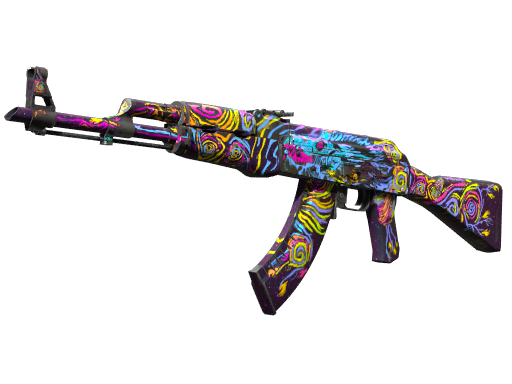
The CS2 item database provides detailed information including exact float values, applied stickers and their positions, pattern index (seed), paint index, ownership history, and links to inspect items in-game. This data helps traders verify item details before purchasing.